Beyond Texting
One way group text messaging: The best group text app without reply all
Worried about the dreaded "reply all" function of group chats? Learn how to send a group text individually with no-reply text messaging apps.

Looking for the best group text app without reply all? You’re not alone.
Let’s face it: No one likes seeing a ton of replies in a group text — especially when you’re sending group texts as a business.
Group texts with a reply all function quickly get both confusing and irritating. As the person who handles communications in your small business, you need a more organized way to get in touch with some or all of your contacts at once.
There are many reasons why you may want to send texts individually in a group texting app for business. Maybe you need to:
- Share promotional messages with customers
- Send important announcements to employees
- Push out questions to the group, but get the replies privately
When people learn about SimpleTexting’s mass texting service, the most common question we get is, “If someone replies, will it go to the whole group?”
You’ll be glad to hear that the answer is “no.”
If you’re a business or organization that wants to text large groups at once without the ability to reply to all or create a giant thread, we have the group texting solution for you. Try SimpleTexting’s free group texting app for 14 days to see if our one-way group text messaging is right for you.
Let’s get into the ins and outs of group texting without reply all.
What is one-way group text messaging?
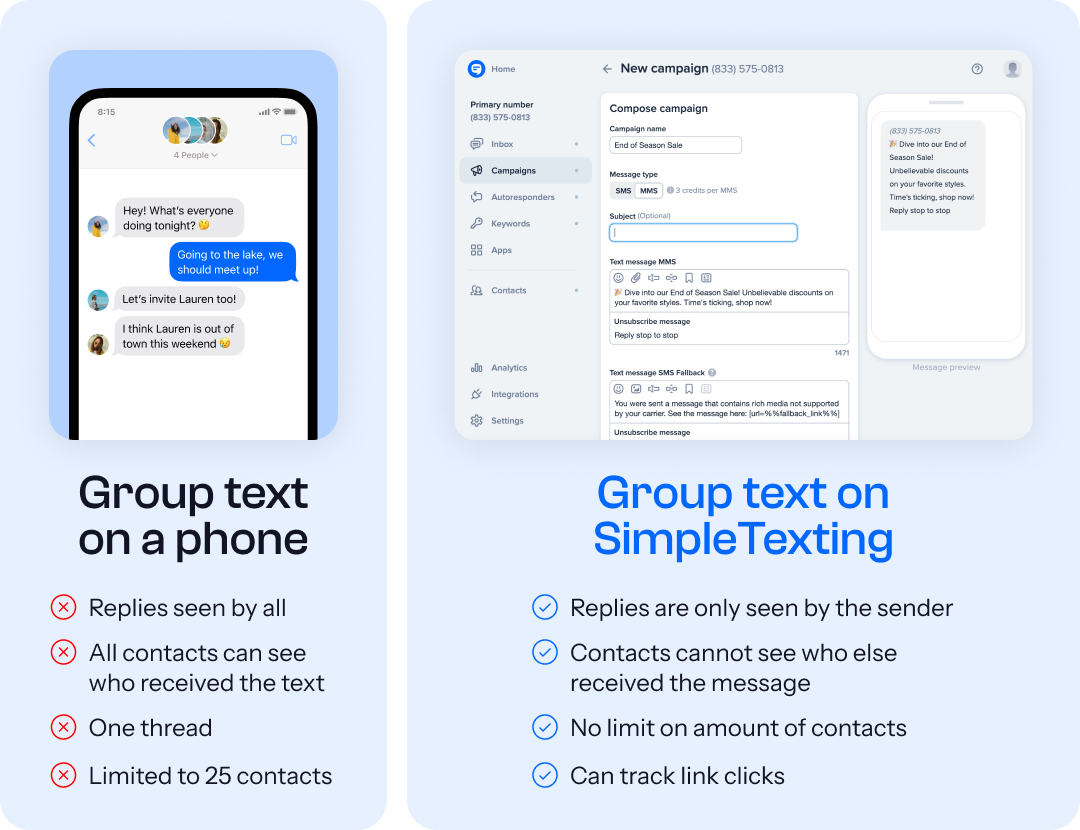
One-way group text messaging is a feature that lets your business or organization send a text message to a large group of contacts while preventing the recipients from replying to the entire group.
By nature, a group message on a personal device creates one large thread, meaning everyone can see all the messages sent and received.
This can be great if you’re looking to chat with a group without starting a busy email thread.
However, SMS software and texting apps offer you the option of one-way group messaging. Only the sender can send messages to the group, like a BCC text message.
Why should you use one-way group text messaging for business?
- Nobody other than the sender can see the other recipients’ names or phone numbers.
- You can text big groups at once with the same feel as a personalized, one-on-one chat.
- It’s the best solution for you if you simply don’t want a “reply all” option when sending group messages.
What if you don’t want your contacts to reply to you?
If you’re looking for a way to send texts that contacts can’t reply to you, you’ll need a texting software that only sends out mass texts.
Those do have drawbacks — if you decide to use two-way texting in the future, you’d need to sign up for a separate texting service.
So, you’re best to sign up for a platform that features both mass texting and two-way texting and add a “Don’t reply to this text” note at the end of your messages along with the way you prefer contacts to reach you.
What is a group text app?
A group text app is software that allows a party to send a message to multiple contacts at once.
Group text apps for business often include options for automation, narrowing down your audience, and other tools to make sending group messages easier. For example, SimpleTexting is business texting software that will send one-way group texts. Plus, you can use our platform’s features to have two-way conversations with individual group members.
How does a group text app without reply all work?
Group text apps without reply all work by connecting the sender to the recipients via the internet as opposed to a mobile phone. These platforms are also known as broadcast text apps or one way group text messaging.
But first, you’ll need the help of text marketing software — like SimpleTexting. Services like ours give you one-way messaging power (and the ability for contacts to message you back directly). We’ll even set you up with a dedicated phone number or help you text-enable your current one.
Keep your no-reply group texts compliant
The only caveat is that your contacts have to give you express written consent to send them a group text.
Express written consent is an industry term meaning they give you permission to send them texts by either texting in a keyword, filling out a form, or checking some kind of box.
Send your group text message
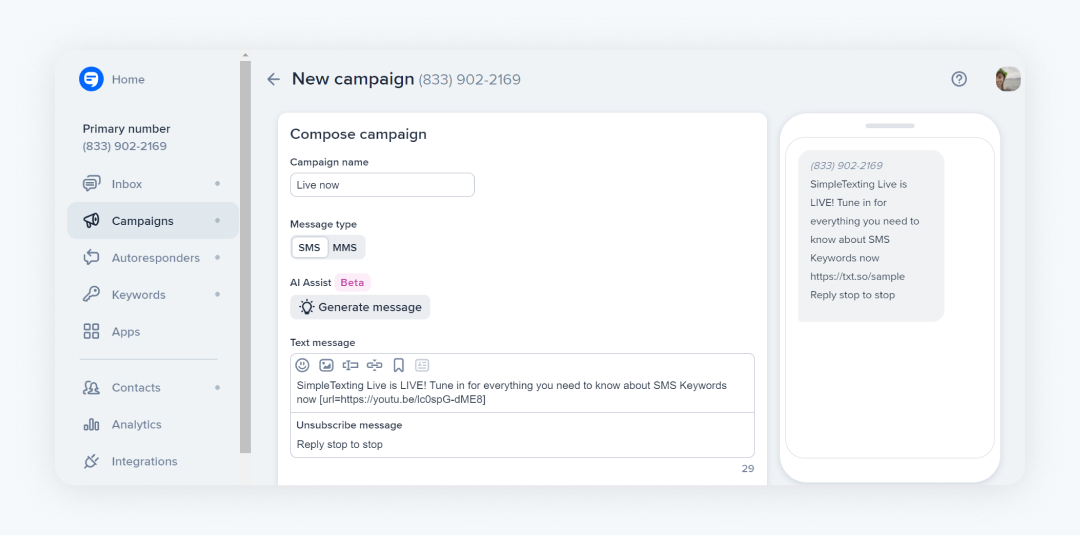
When you’re ready to send a message, you simply write it, pick the list you want to send it to, and you’re done. The message is sent to your whole group at once but appears to each contact as if you only sent it to them.
This is a pretty simple process:
- Create a campaign.
- Choose the list you’ll send your group text message to.
- Monitor your analytics to see how your text performed.
Don’t worry — we’ll get much more in-depth shortly.
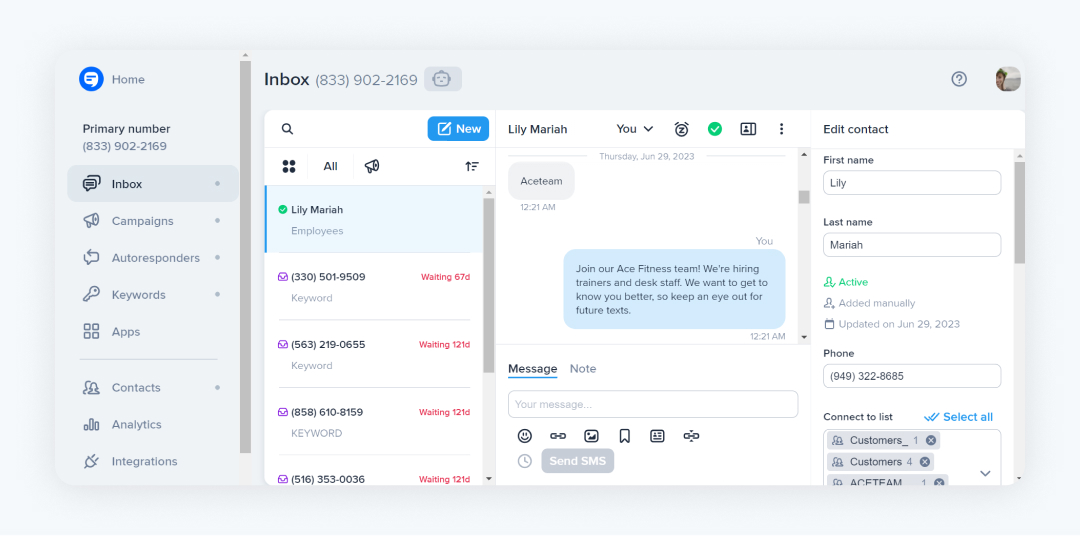
If someone decides to reply, their message goes directly into your Inbox where you can respond, snooze, resolve, or leave notes on the conversation.
Here’s what the Inbox looks like in our one-way group text messaging app:
🔖 Recommended reading: How to Start, Plan, and Send Text Marketing Campaigns
What functionality makes for the best group text app?
These are the top five features to look for in the best group text apps:
- One-way group text messaging
- Two-way 1:1 text messaging
- Message automation
- Contact management features
- Contact segments
One-way group text messaging
This is an obvious one, but it bears mentioning. Make sure the platform you choose offers one-way group text messaging to get texts out to your audience without worrying about reply-alls.
These can also be called campaigns, mass texts, or bulk texts.
Two-way 1:1 text messaging
Of course, you don’t want to limit yourself to just one-way group texts. Pick a platform that offers two-way 1:1 text messaging, too. This means you can have conversations with an individual through multiple texts.
That way, if you ever decide to pivot to more individual interactions or simply want to let contacts reply to your group messages, you can make the switch easily.
Text message automation
If you wear a lot of communication-related hats at your company, you probably have a full plate of tasks and responsibilities. Being able to schedule your group messages to send automatically can give you a lot of your valuable time back.
Whether it’s autoresponders, basic scheduling, or integrations, automation is an important functionality to have.
Contact management features
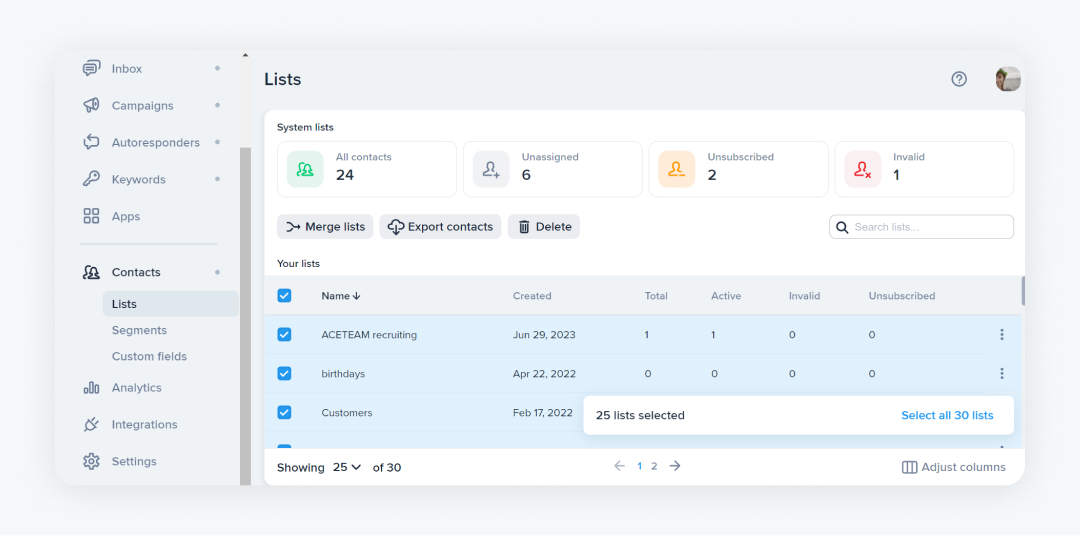
Good contact management options will help you organize your subscribers and make sure messages get to the right lists.
Look for software that lets you easily add, delete, filter, sort, and merge your contact lists. That way, you can make small adjustments rather than having to start over every time a detail changes.
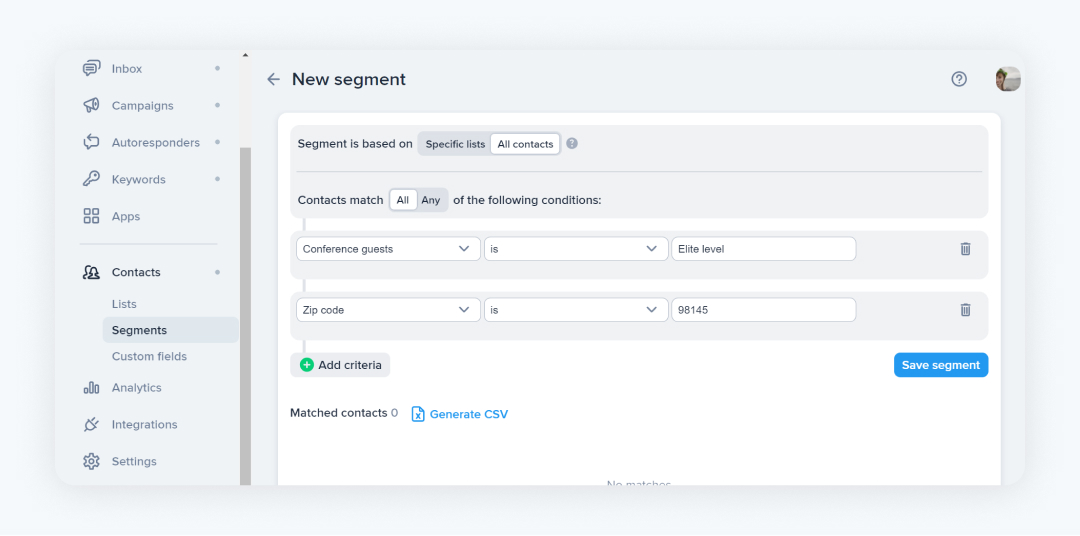
Contact segments
Make sure your subscribers never get a message they aren’t interested in by creating customized segments for different groups of your contacts.
Use these segments to send personalized messages based on contacts’ interests, location, job title, or any other relevant details they’ve shared.
What is the best group text app without reply all?
When looking at the one-way group text messaging platforms on the market, SimpleTexting stands out as the best.
This is mostly because it offers:
- Cost-effective SMS marketing and communications
- Two-way messaging and mass texting in one platform
- An award-winning support team
- User-friendly features
Learn more about SimpleTexting’s group texting app without reply all, or go ahead and sign up for our group texting app’s free trial.
How to send a group text individually without showing all recipients with SimpleTexting
After you choose your group text app, you’ll choose your business texting number and gather opt-in phone numbers. Then you can send a group text without reply all in three steps.
How to send a one-way text message to a group:
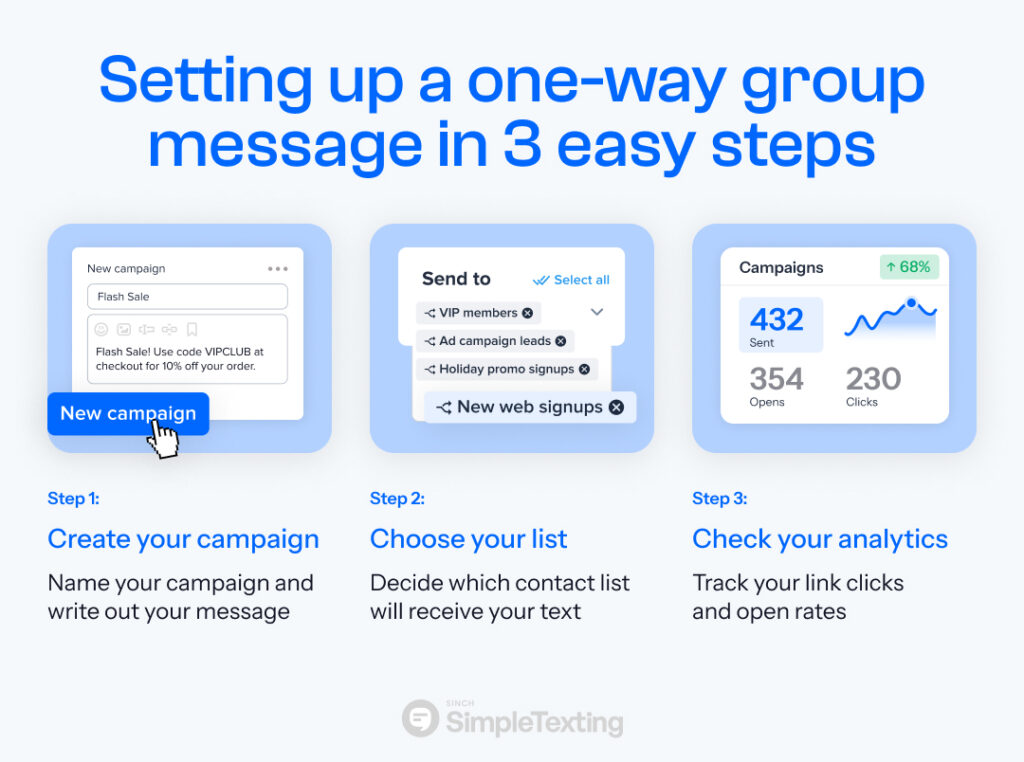
- Create your campaign
- Choose your list (and send!)
- Track your performance
Step 1: Create your campaign
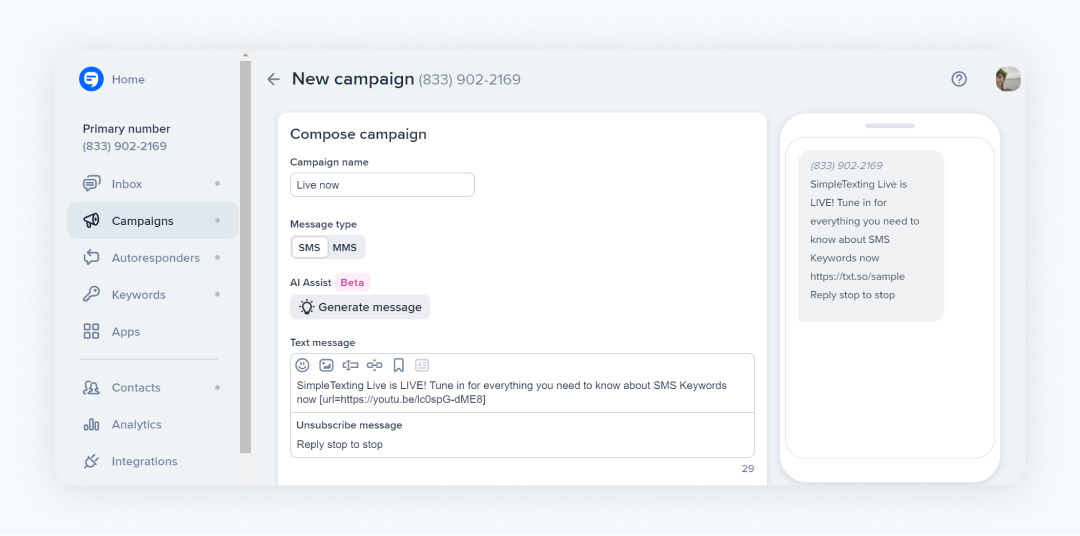
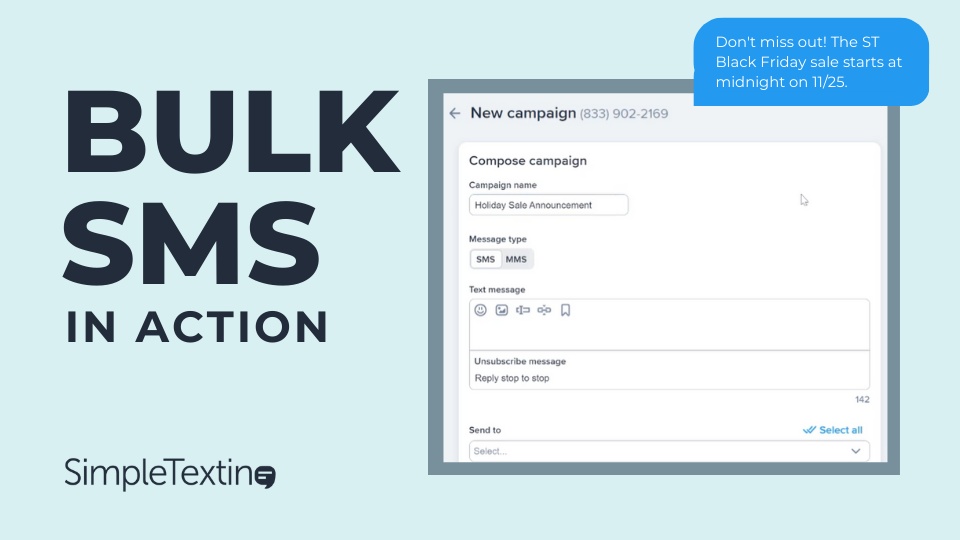
First things first: You’ll need to set up your one-way text message. Although this looks a little different on every SMS platform, you can do this in just a few clicks in SimpleTexting.
Head to the Campaigns tab on the left side of your dashboard. Name your campaign and write out your message.
Step 2: Choose your list
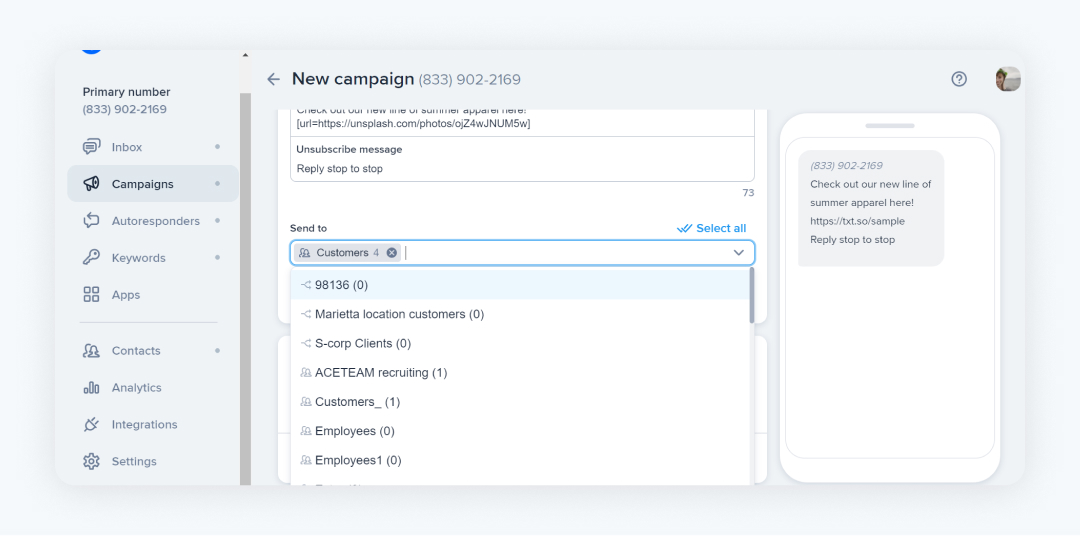
Next, decide which of your contact lists will receive your message and select them from the dropdown menu. You can pick one list or multiple, depending on your message.
Step 3: Track your performance
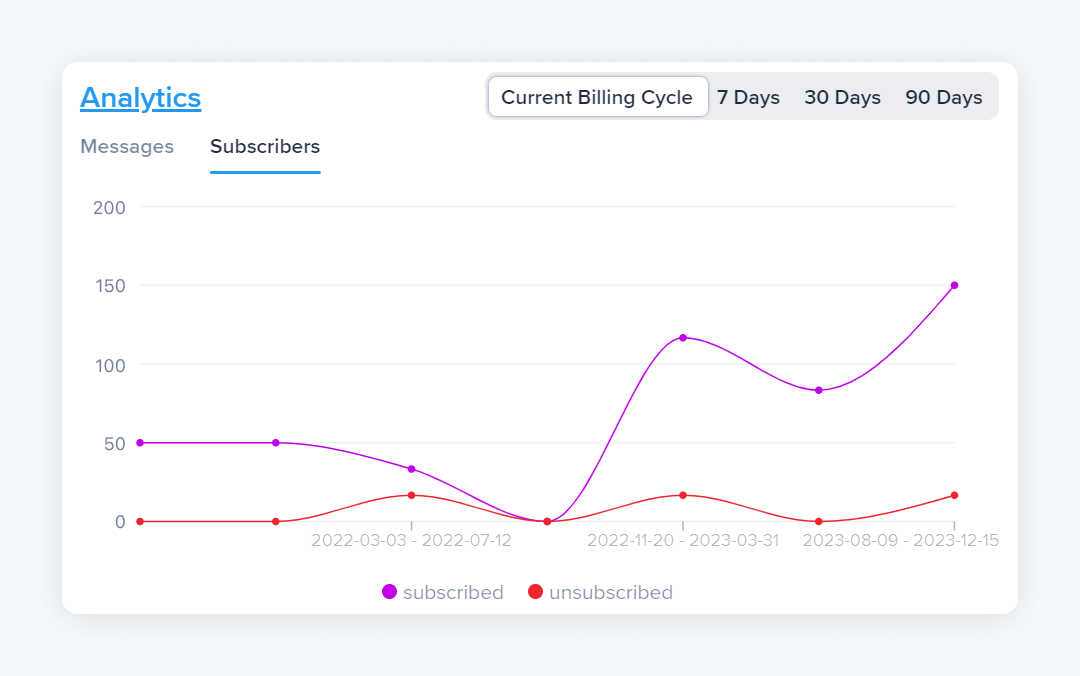
To make sure your messages improve and become more effective over time, check out your analytics page for metrics like:
- Your open rate
- How many contacts unsubscribed after your message
- How many people clicked on any links you sent
- Your message delivery success rate.
These will tell you how to tweak future messages to encourage engagement and maximize your results.
Here’s a video that covers the basics of how to send out a one-way group message:
No-reply text message examples
Still not sure where to start? Take these no-reply text message examples to use in your one SMS strategy.
1. No-reply text example for healthcare
2. No-reply text example for insurance
3. No-reply text example for real estate
4. No-reply text example for e-commerce
5. No-reply text example for churches
6. No-reply text example for schools
7. No-reply text example for fitness centers
8. No-reply text example for car dealerships
9. No-reply text example for radio stations
10. No-reply text example for human resources
Group texting app FAQs
Still got a few questions about group texting apps? We’ve got you covered.
You can send a group text without reply all using an online SMS platform to set up a bulk text that looks like it went straight to each subscriber individually.
You create a no-reply group text within your SMS software. For extra measure, you can add a reminder to the end of the message that contacts shouldn’t reply.
Yes, you can send a group text message without showing all recipients. You’ll just need to set it up through an SMS platform (like SimpleTexting!) to make sure recipients can’t see each other.
You can send a group text message with individual replies with a texting software service like SimpleTexting.
You can reply to a group text without replying to all by hitting the reply button and making sure you only see one recipient listed above the message box.
Avoid awkward reply-alls with a group text app
Let’s face it, not only are reply-alls often unnecessary, but they’re also inconvenient. Instead of scrolling through long threads of information that nobody can catch up with, sign up for a group texting app like SimpleTexting.
The best part is, it’s completely risk-free! Join us for a 14-day free trial, no credit card information required.
This blog post was originally published September 17, 2020. It was updated March 2023 and most recently on June 27, 2023. Meghan Tocci contributed to this piece.
Examples of One-Way Text Messaging
- Event Updates: Businesses use one-way text messaging apps to send timely event updates, ensuring that all attendees are informed without the confusion of multiple replies.
- Promotional Campaigns: These apps are ideal for promoting products or services efficiently to large audiences.
- RSVPs and Surveys: One-way messaging is perfect for sending RSVP requests or surveys where responses are collected but not seen by other participants.
- Customer Feedback Requests: Solicit feedback or testimonials by sending out requests that recipients can reply to individually.
Benefits of One-Way Text Messaging
- Efficiency and clarity: One-way messaging helps maintain clarity and control over the communication, avoiding the potential chaos of reply-all messages.
- Scalability and speed: This type of messaging allows businesses to reach large audiences quickly and effectively.
- High open rates: Text messages often have high open rates, making them a reliable method of communication.
- Automated communication: One-way messaging can be automated based on triggers, saving time and resources for businesses.