Black Friday + Cyber Monday Special! New customers get 30% off their first month with code FLASH30 at checkout.

Text-to-vote: Create SMS polls

Text-to-vote, or SMS polls, is a great way to engage your audience and get valuable insights from your subscribers. Whether you’re conducting a research study, engaging your audience during a live event, or simply soliciting feedback, SimpleTexting provides the text-to-vote capabilities you need to achieve your goal.

No credit card required

Reach people directly with text-to-vote surveys

Collecting information for a research study? Want to get feedback on your services or products? Want to keep your audience engaged during a presentation? You can do all this and more with our text-to-vote feature. We’ll break down all the details on sending SMS polls, including how to create a poll to send via text and why they’re a great addition to your marketing and customer service strategies.
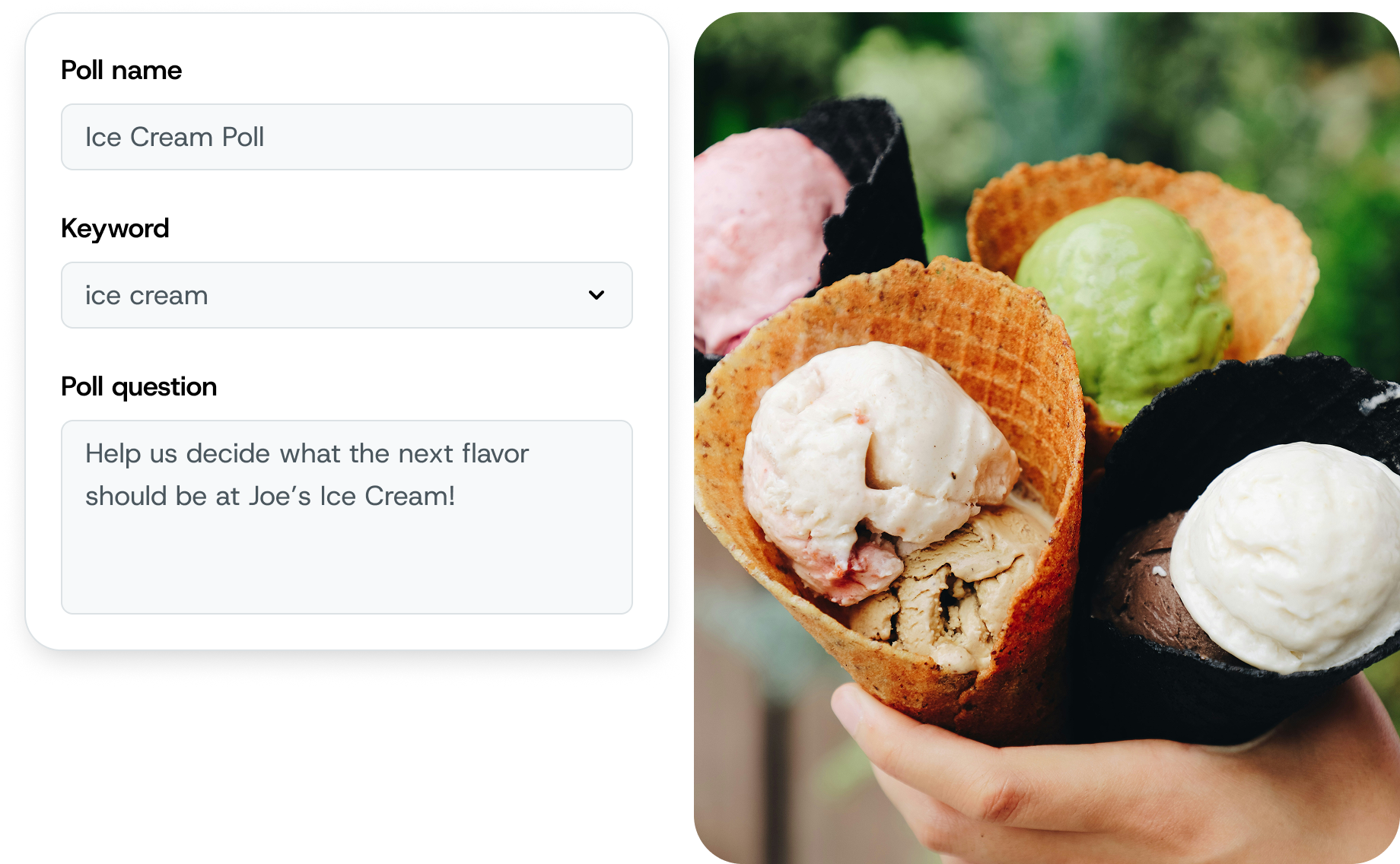
SimpleTextings Text-to-vote in action as a crowd survey for an ice cream shop

Why Use Text Polls?

Discover the power of text polls in your business strategy. From growing your audience to gathering crucial feedback, learn how text-to-vote through SimpleTexting can transform how you connect with your customers and subscribers.
Grow Your Audience

When someone participates in your poll, they share their number with you. You can use that number later to send them marketing campaigns, multimedia content, and more.

Share Results in Real Time

Using a text message survey at a live event? Share the results with attendees in real time. If you’d rather wait to share results, that’s cool too. With SimpleTexting’s vote SMS app, you’re in control.

It’s Cost Effective

Not only are SMS polls easy to set up, but they’re cost effective, too. Our plans start at $29 per month, and we offer a 15% discount to nonprofits and churches.

Easy Set Up and Maintenance

Our text poll system makes things simple (see what we did there?). With just a few clicks, you can create and launch your poll. Maintenance is easy, allowing you to focus on what matters most – engaging with your audience.

Learn About Your Subscribers

Delve deeper into the preferences and interests of your audience. Text polls provide direct insights into what your subscribers like, dislike, and what they’re looking for, helping you tailor your services or products accordingly.

Involve Your Customers in Decision-Making

Empower your customers by involving them in key decisions. Whether it’s choosing a new product feature or selecting an event theme, engaging your audience fosters a deeper connection and a sense of community.

Gather Valuable Customer Feedback

Text polls are a quick and efficient way to collect feedback on your products or services. Immediate response can be make-or-break for timely improvements and adjustments that ensure customer satisfaction.

Better Understand Purchase Intent

Gauge the buying interest of your customers through targeted questions. Text polls can help forecast demand, plan inventory, and build better marketing strategies.

Boost Engagement and Brand Loyalty

Engaging with your customers through text polls keeps your brand top-of-mind and nurtures loyalty. Regular interaction through polls makes customers feel heard and valued, leading to stronger brand loyalty and advocacy.

How Does SMS Voting Work?

Text polling is so effective because it only takes a second for people to send an SMS message. Here’s how it works:

Step one

Create a Keyword

A keyword is a word or phrase your audience can use to join your SMS poll. It takes just a few seconds to create a keyword in SimpleTexting. For example, if you’re sending a customer survey about what ice cream flavor they’d like to see next, you could create the keyword “ICECREAMFLAVOR.”
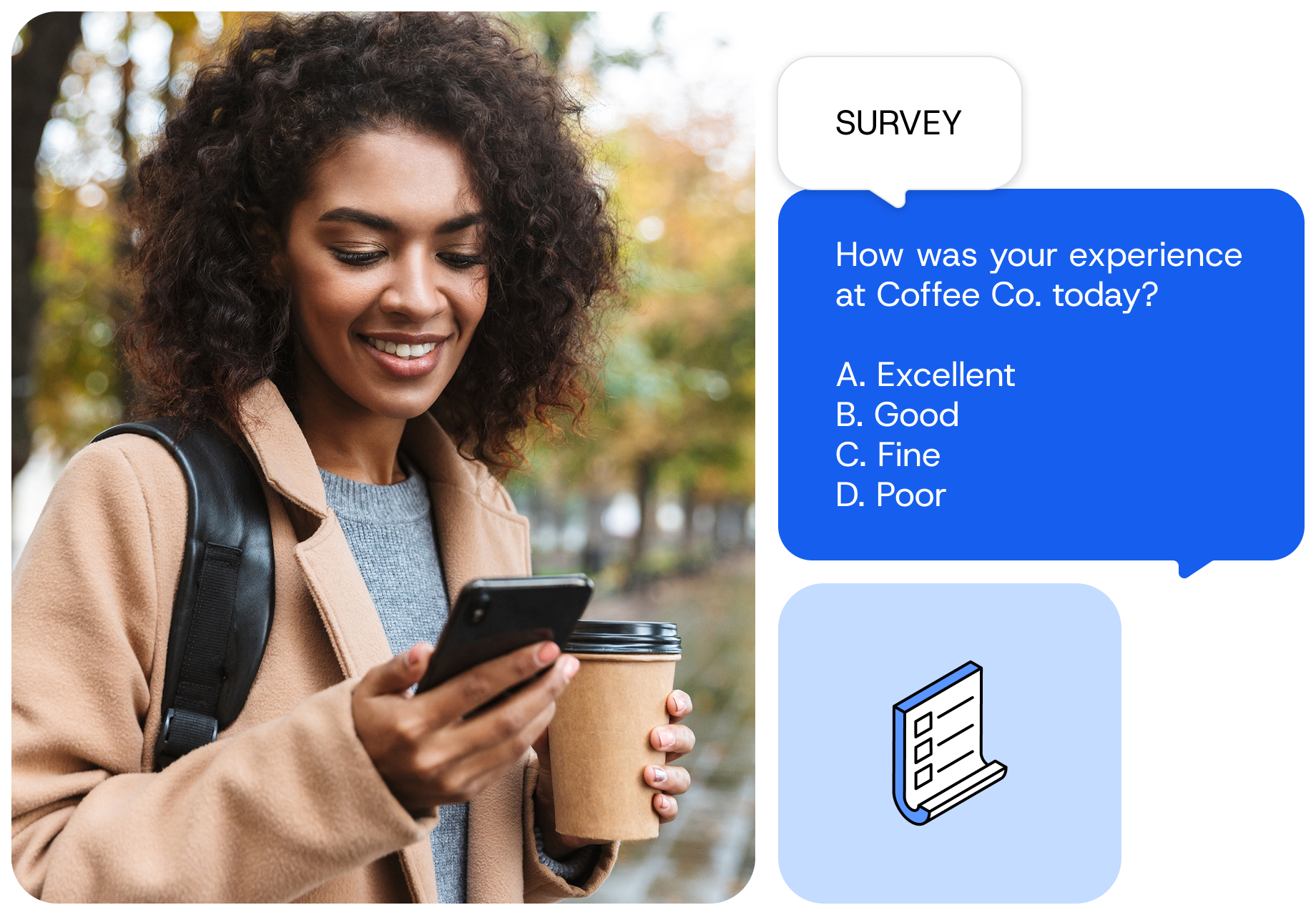
SMS Voting used as a survey for a coffee shop

step two

Create Your Text to Vote Survey

Thanks to our built-in Text to Vote app, creating a text message poll couldn’t be simpler. Add a poll question and a few answer choices, and select the keyword you’d like to use for your survey.
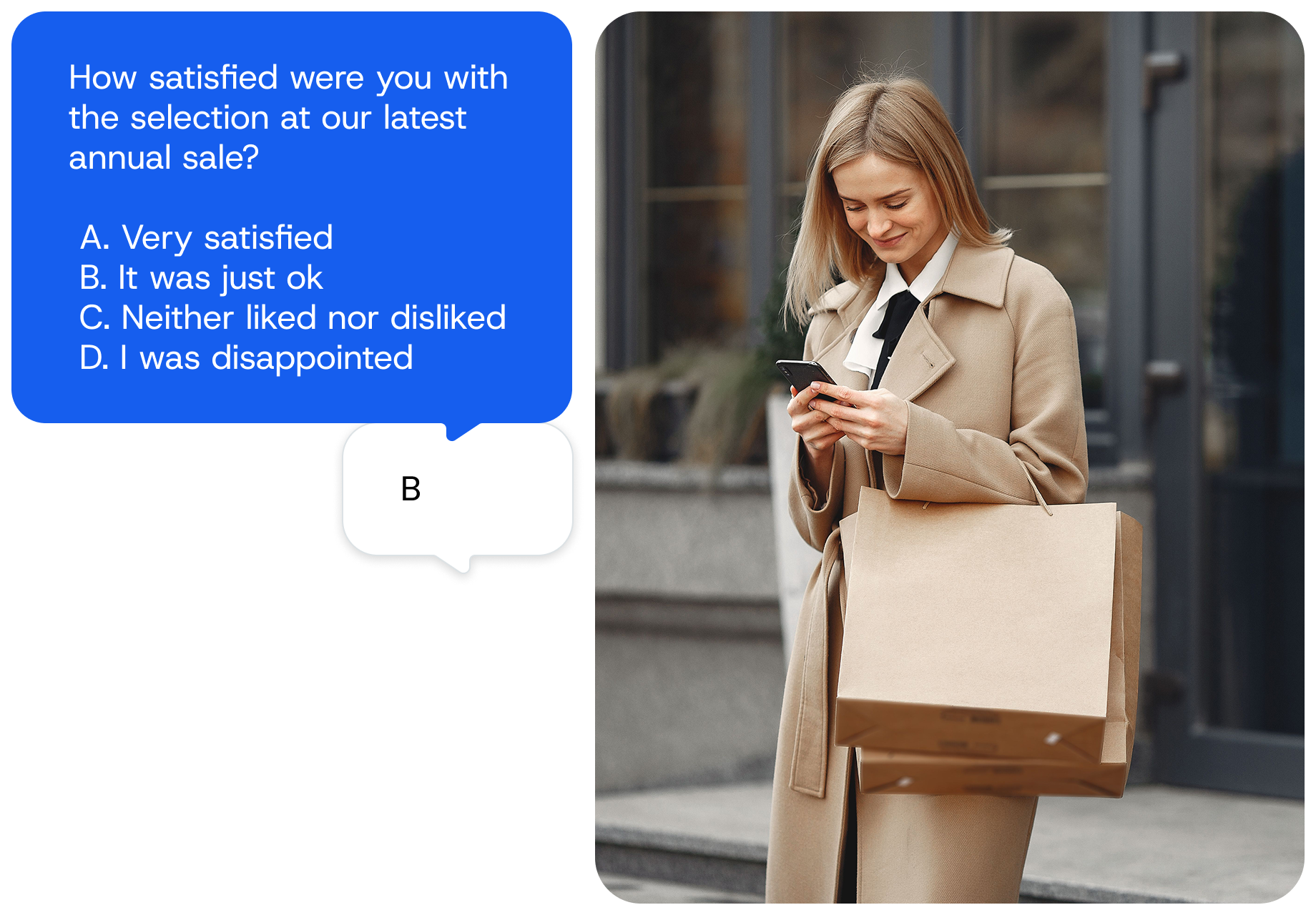
text to vote survey used to evaluate customer satisfaction

step three

Invite Your Audience to Vote

Share the keyword on social media, presentation slides, your website, or anywhere else you’d like to run a text message poll. Once your audience members text the keyword to your text-enabled number, they’ll instantly receive an SMS text with multiple choice options. Then, they’ll text in their choice, and SimpleTexting will tally audience responses automatically.

example of how to use a flyer to get valuable feedback from customers using text to vote

step four

See Your SMS Poll Results

You can view and export the results of your text message poll anytime in your dashboard.
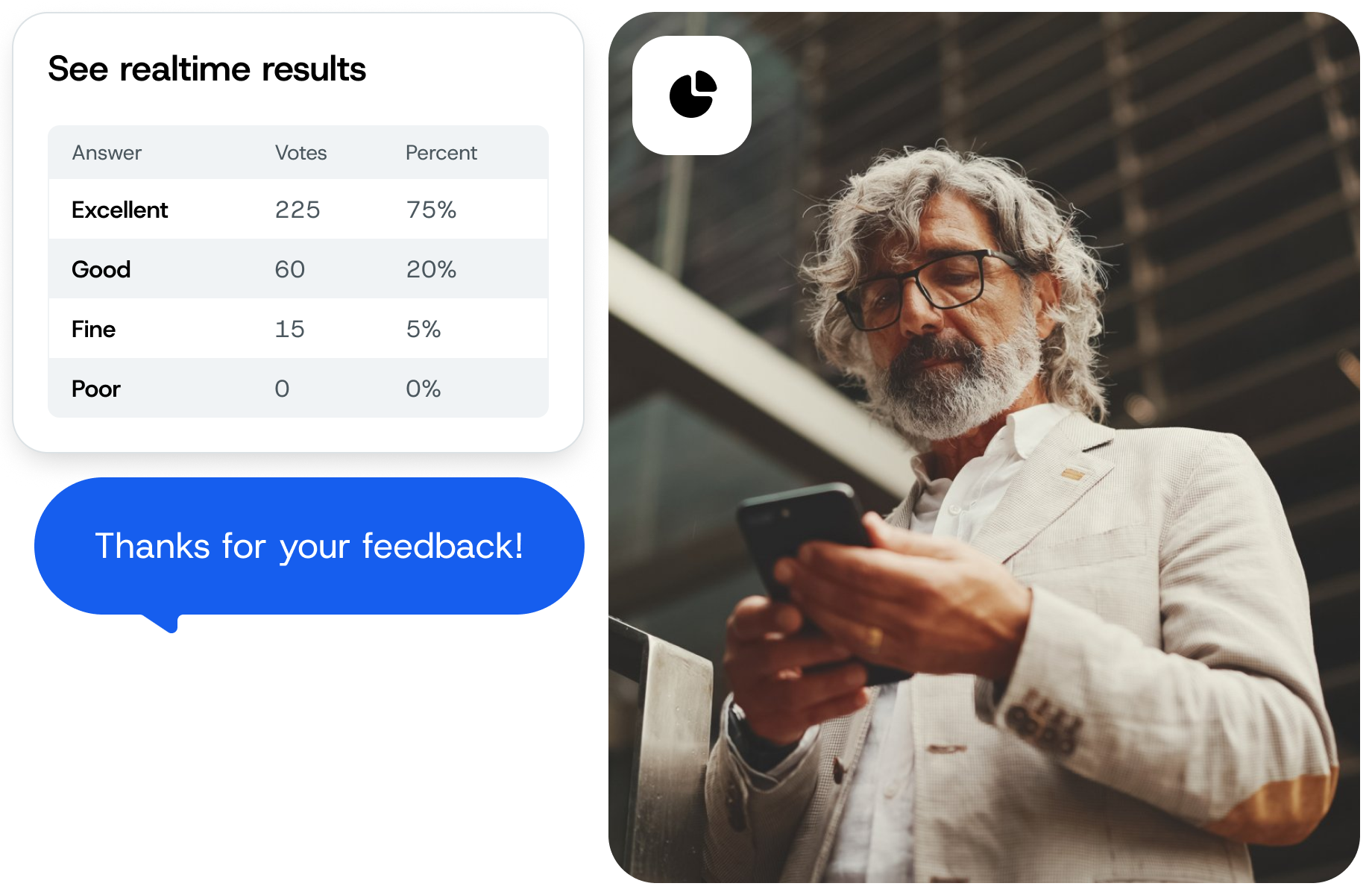
SimpleTextings real time results are easily visible in your dashboard

Text-to-Vote in Action

Explore the versatility of text polling through these real-world examples across different industries.


1. Expanding the menu at your restaurant

Gather your patrons’ preferences for new dishes by running a text poll. Engage customers by letting them vote on potential new menu items, ensuring your next addition is a fan favorite.

2. Adding new classes to your fitness center’s schedule

Use text polling to find out which new fitness classes your members are most interested in. Text voting ensures your schedule aligns with the preferences and needs of your members, increasing sign-ups and attendance.

3. Getting feedback on your clothing store’s seasonal collection

Use text polling to gauge customer interest in different styles or items for your upcoming seasonal collection. Real-time feedback will help you discover which products will actually sell.

4. Planning events in your community

Engage community members in the event planning process through text polls. Whether it’s deciding on a festival theme or a location for a community gathering, text polling helps community members feel involved and builds excitement.

5. Politician campaign tour planning.

For politicians, text polling can be a powerful tool to understand constituents’ preferences on where to hold rallies or town hall meetings.

6. Planning the next fundraising event for your school

Schools can use text polls to involve students, parents, and staff in choosing the theme, venue, or type of the next fundraising event, boosting participation and success rates.

Need text-to-vote campaign inspiration?

Postino WineCafé’s Battle of the Bruschetta campaign turned a competition into sales with text-to-vote. First, they invited customers to text the keyword BATTLE to Postino’s number to join the competition. Every two weeks, Postino invited its subscribers to try two new bruschetta dishes and vote for their favorite. The winning dish earned a permanent spot on the menu.

woman participates in Postino WineCafe's Battle of the Bruschetta campaign via SimpleTexting's text-to-vote

How to create a text message poll with SimpleTexting

Here’s how simple it is to poll your audience via text with our SMS survey platform.

After logging into your account, navigate to Apps > Text to Vote Surveys > Create poll to get started.

Enter a name for your poll and choose which keyword you want to use. Then, fill out the “Poll question” and “Answer choices” fields, being sure to put each answer on its own line. SimpleTexting will automatically assign a response value (A, B, C, D, etc.) to each of the choices.

Finally, write a follow-up message that people will receive after submitting their answer. You can also send voting results to each participant if you’d like.

Click Save, and you’re done with your text polling setup!
Popular Text Message Polling Examples

Running SMS polls is an engaging way to collect feedback from your contacts. Here are three of the most common ways people use text message surveys.

Customer Feedback Surveys

“Would you recommend us to a friend?”

Event Surveys

“Who would you like to see perform next at our venue?”

Presentation Polls

“Which topic are you most looking forward to learning about today?”

Product Preference Polls

“Which new flavor sounds better: Tropical Burst or Arctic Frost?”

Service Improvement Surveys

“What’s one thing we could do to improve your experience with our service?”

Brand Perception Surveys

“On a scale of 1-5, how would you rank our brand’s commitment to sustainability?”

Employee Feedback Polls

“As a team member, what’s the one tool or resource you think would make your job easier?”

Market Research Surveys

“Which feature is more important to you in a smart home device: energy efficiency or voice control?”

Community Engagement Polls

“For our next community project, would you prefer a park clean-up or a local fundraiser?”

SMS Voting FAQs

To send a text poll, all you have to do is create a keyword, add a poll question and multiple choice options to our Text to Vote app, share the keyword with your audience, and watch the votes roll in.
You can absolutely send a survey in a text. To poll your customers via text, create a survey in our Text to Vote app and share the keyword with your audience.
Once you create a poll in our Text to Vote app, you can send it to a group of people via a keyword. SimpleTexting’s software is different from traditional group chats, like on iMessage or Facebook Messenger, because the group participants can’t chat with each other or see others’ responses. This is best for companies and organizations that want to message many people at once without compromising their privacy.