More Blog Posts
Why are my texts not sending? Common causes + tips
Text messages aren't delivering? Here are 10 ways to solve the case of your undelivered SMS campaigns.
Text messages aren't delivering? Here are 10 ways to solve the case of your undelivered SMS campaigns.
It’s Tuesday, and I am once again yelling “Why are my texts not sending??” loudly enough to echo through my Arizona neighborhood.
Maybe you can relate. Your phone is only too happy to tell you that your texts aren’t sending, but it doesn’t tell you why.
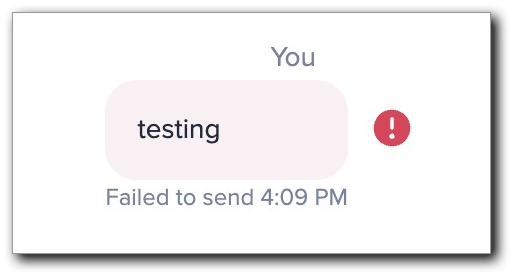
Because I (and our users) have fallen victim to send failures way more than we’d like to, I decided to get to the bottom of why this happens.
The first step in this investigation is to eliminate possible reasons why your messages aren’t delivering. Let’s dig into the 10 most common reasons SMS campaigns don’t make it to their destination. So what are the top reasons your texts aren’t sending?
Let’s explore each reason further.
To combat fraud, spam, and other illegal activities from their networks, wireless carriers require businesses to verify their phone numbers.
If you haven’t registered your 10-digit local number with The Campaign Registry or verified your toll-free number with wireless carriers yet, your messages may be limited. Check out our guides to learn more about toll-free number verification and 10-digit number registration, and chat with our team using the blue button in the bottom right corner for help.
→ Need help choosing a number? Check out our guide to virtual phone numbers.
If you’re trying to send SMS campaigns from a personal phone number, you may experience carrier filtering. This is known as peer-to-peer (P2P) messaging, which is traditional text messaging from one individual to another.
When you text on your cell phone to a friend or acquaintance, you are using P2P messaging.
Application-to-person messages (A2P) are commonly used by businesses or organizations for marketing purposes. They require the sender to be registered with an SMS application that allows them to send out mass messages to hundreds or thousands of recipients at once.
If you are attempting to use A2P-style messaging from a personal number, your mass messages could be flagged and therefore not delivered.
If you’re sending text messages containing adult content, drug references, or any kind of criminal activity, your messages will be blocked by the receiving carrier.
That’s because the Cellular Telecommunications and Internet Association (CTIA) — a regulatory body that enforces guidelines for SMS messages — prohibits messages with SHAFT content — sex, hate speech, alcohol, firearms, and tobacco.
The CTIA also prohibits messages that contain:
If your business sells alcohol, you can send SMS campaigns to advertise events like happy hours or drink specials as long as you have an age verification method in place.
If you’re sending too many text messages, your messages could be caught in the spam filter. Depending on the phone you’re using, there are compliance guidelines as to how many messages a user can send.
While there’s no hard-and-fast rule for how many messages you can send to each contact, you can estimate what would be a reasonable amount of messages for your industry or business type.
For instance, someone using texts to message their employees about available shifts or schedule changes may send dozens of messages a week to each contact, while a retail store may only send a promotional message once a week.
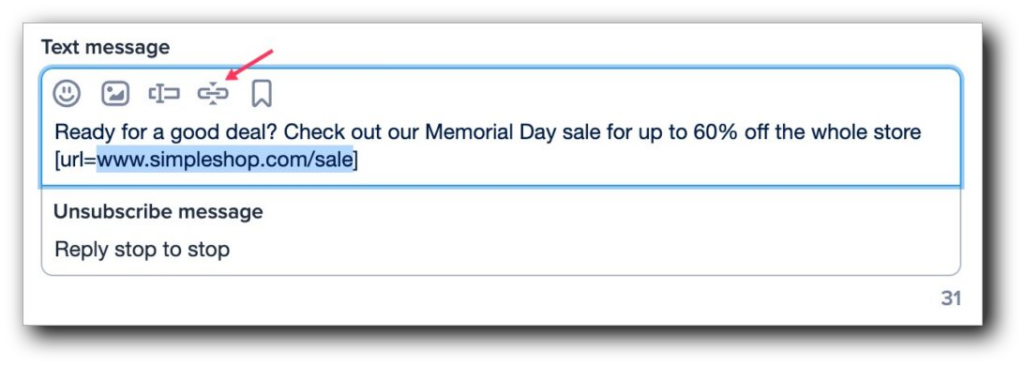
Some scammers use link shorteners to disguise phishing links. Carriers may filter messages with links that look shady, including those that are shortened by third-party apps.
If you’re sending texts with our platform, you can shorten links from the message composer so you don’t have to use a separate link shortener.
Depending on which country you are receiving or sending messages from, local regulations may restrict the sending of SMS messages to prevent spam.
For example, in some countries, messages notated as ‘marketing’ can be sent only during workdays and in a specific time window. If sent outside this window, your message will not be delivered.
Just be sure to do your research here (or ask our team for help). If you use an A2P service, you can schedule messages and send them out automatically at specific times to help bypass these restrictions.
If your contact list is littered with invalid or deactivated numbers, it may signal to carriers that you don’t have their permission or they’re no longer interested in your texts.
Depending on which SMS service you use, you may need to submit your contact list to a verification service to identify invalid or deactivated numbers.
SimpleTexting has self-cleaning lists that do this for you so you won’t unknowingly send multiple messages to invalid phone numbers.
There are two ways to see which of your contacts are invalid.
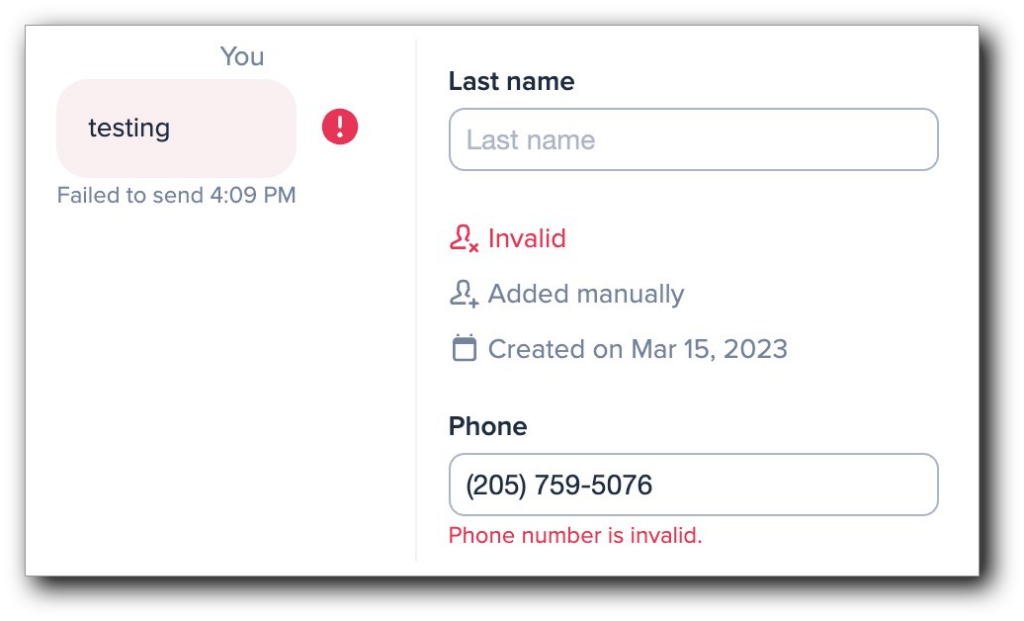
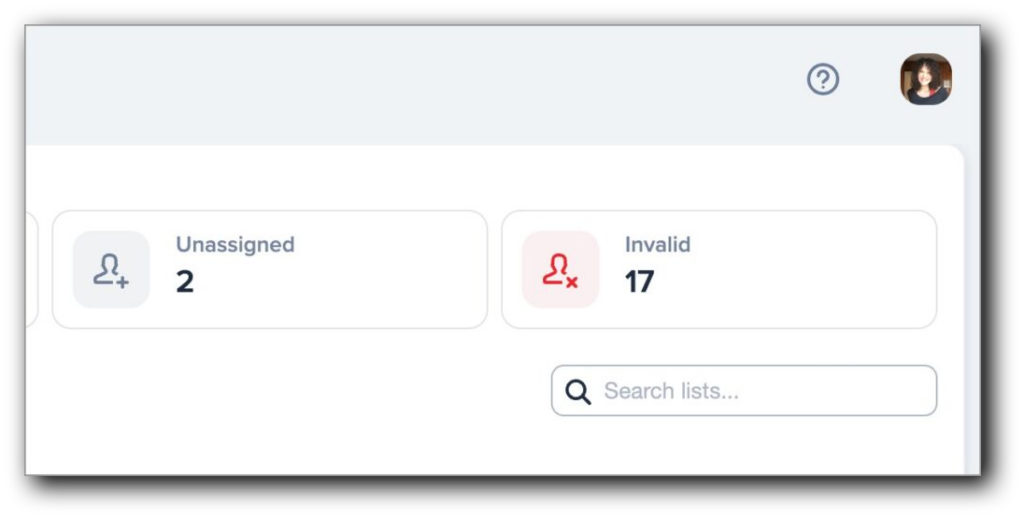
It may be hard to believe, but there’s a chance your undelivered messages were sent to a landline.
Although far less common in recent years, people still do have landline phones, so there is a possibility the phone number is simply not capable of receiving text messages.
Sometimes people change their minds about subscribing to texting lists. They may:
Either way, your messages will fail to deliver to a contact who indicates that they don’t want to receive your texts.
It’s important to remember that you must honor every opt-out request you receive according to compliance guidelines.
Occasionally, a recipient may go over their plan or be in debt to a cell phone provider.
In these circumstances, the provider or carrier may turn off that phone number’s ability to send and receive messages to encourage the user to pay what they owe.
It is possible that the contact you’re sending messages to has turned off their phone’s ability to receive SMS.
While SMS is common in the U.S., in other areas of the world, platforms like Whatsapp and Telegram are more widely used.
If messing with your settings doesn’t help, verify the phone’s software is up to date and date/time is set to automatic. iPhone: Settings > General > Software Update. Android: Settings > System > System Update.
If the SMS setting is deactivated, your messages won’t be delivered.
Sometimes message deliverability is just out of your control. There may be times when the wireless carrier or their hardware is having technical difficulties, which can prevent messages from reaching your contact’s phone.
Search your carrier’s status page or social accounts for outages. If you see a red exclamation point or ‘Not Delivered,’ tap to resend or switch from iMessage/RCS to SMS. Otherwise, wait for the carrier to restore service.
We get that there can be more nuance to your personal situation, so here are the answers to some of the questions we hear about texts not sending:
If your text messages are sending to everyone except for one person, it’s likely an issue on their end. They might have SMS turned off on their phone or an issue with their carrier. Or, they may have blocked you or unsubscribed from your mass texting list.
The right course of action depends on your relationship with the recipient. If you’re a business texting a person, the person may have unsubscribed from your list, meaning you should leave them alone. But if you’re texting a friend one-on-one, it’s reasonable to contact them elsewhere and let them know your texts aren’t going through.
Your phone texts could be failing to send because your phone has a technical issue, such as out-of-date software or the data turned off. Here are some steps you can take to handle the most common reasons for texts not sending:
Besides the above reasons for texts not sending on a smartphone, a text might not send on an iPhone due to the differences between iMessages and SMS/MMS. While SMS and MMS messages send between devices that have cellular carrier support, iMessages can only send to Apple devices.
Make sure you have SMS and MMS on when you send your texts to make sure they can arrive on every device.
In addition to the above general reasons for texts not sending on a smartphone, your Android might not be sending texts due to issues with your Messages app. If your unsent messages prompt you to Switch to text (SMS/MMS), try going to RCS chats in your Messages settings and turning them off. Your Android could be defaulting to sending texts over WiFi instead of cell data, making it so texts don’t send when you don’t have WiFi.
If a message is marked as sent, but not delivered, it means your phone successfully sent the message over the cellular network, but it hasn’t arrived at the recipient’s phone.
While it usually takes a split second for a sent text to become delivered, the delivery step can fail when the recipient’s phone is turned off or the recipient has blocked you. In some cases, the message does get delivered, but the sender’s phone doesn’t register the text as delivered.
If your phone can send texts but not messages with pictures, you might have connectivity issues or have MMS turned off. First, check your message app’s settings to make sure you have MMS on. From there, make sure your cell data or internet is turned on.
If neither of those solutions work, it could be an issue with your carrier. Contact your cell carrier to see if the network has an outage.
On Mac, iMessages might not send if there’s a service outage, an issue with your internet, or an out-of-date setting. If the Messages app on your Mac isn’t sending iMessages, try:
Many of the reasons your text messages aren’t sending can be attributed to the type of message you’re sending or the way you’re sending it.
Have a question about message deliverability? We love answering any and all questions about texting. Chat with our customer support team by clicking on the blue button at the bottom of your screen.

Alice is a copywriter at SimpleTexting. When not teaching the world about the benefits of business texting, you can find her feeding family, friends and strangers with her latest baking experiment.
More Posts from Alice DoddLearn everything you need to know to create an SMS link that will launch and send SMS messages. You can add these click-to-text links to your mobile website, emails, and more.
ReadTo ensure nothing slips through the cracks, use SMS to remind you or your participants of upcoming conference calls.
Read


Start a text marketing campaign or have a 1-on-1 conversation today. It's risk free. Sign up for a free 14-day trial today to see SimpleTexting in action.
No credit card required