Difference between push notifications and SMS notifications
You need to get your messages in front of users. What's the best way to do this? Find out in this article about SMS notifications and push notifications.
Call me Captain Obvious, but it’s clear that business owners want to get their customers’ attention.
The hitch here is that there’s a lot of static to cut through first. We receive a constant stream of notifications on our smartphones every day, including messages, reminders, and alerts. So, how can you stand out?
Digital marketers need to be aware of all the tools they have at their disposal to reach their audiences. Two of the most effective tools out there are SMS notifications and push notifications.
But, maybe you don’t know the difference between these two kinds of alerts on your phone. Or, maybe you have the ability to use both, but you aren’t sure when to use them. Let’s go over the strengths and weaknesses of push vs. SMS notifications.
Push notifications vs. SMS notifications
Let’s go over what these notifications are and why people use them.
What are SMS notifications?
SMS notifications are notifications that are sent when you receive a text message. Basically, if you’ve ever seen your phone light up with a preview of a text message you just got, that’s an SMS notification.
SMS stands for “Short Message Service.” SMS notifications are sent the same way as any other text message. Usually, they’re limited to 160 characters.
With our expanded messaging feature, however, you can send SMS notifications that are up to 306 characters long. While SMS can be used as a marketing tool, SMS notifications can be used for time-sensitive and safety purposes also.
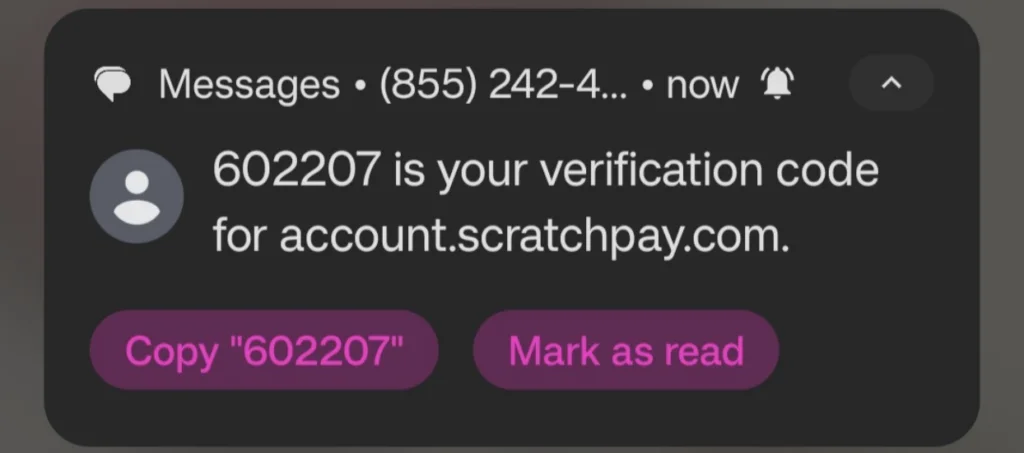
This is what an SMS notification looks like.
Why use SMS notifications?
Many businesses and organizations choose to use SMS notifications because they work on every device. There’s no app to download or software to install. Nearly all cell phones can receive SMS.
Consider the following: your friend needs to inform you about something quickly. Would you rather them send you a quick text, call you, or email you? Most people prefer text because of its straightforward nature.
When to use SMS notifications
SMS notifications can be used to send emergency text alerts, inform users about new features, and send out advertising messages—among other things. Here are just a few of the most common use cases:
Spread the word about upcoming events
Send internal messages to employees
Increase profits with sales and cart abandonment texts
Inform patients about upcoming appointments
Fundraise or find volunteers for nonprofit organizations
Let customers know about reservation confirmations
What are push notifications?
Sometimes mistaken for SMS notifications, push notifications are pop-ups that appear on a mobile device. These messages may appear while customers are on their phones, or on the lock screen if the device isn’t in use.
The biggest difference is that push notifications come from an app or website, not as a result of a text being sent.
The maximum character count of a push notification varies from device to device, but the usual length is between 100 and 200 characters.
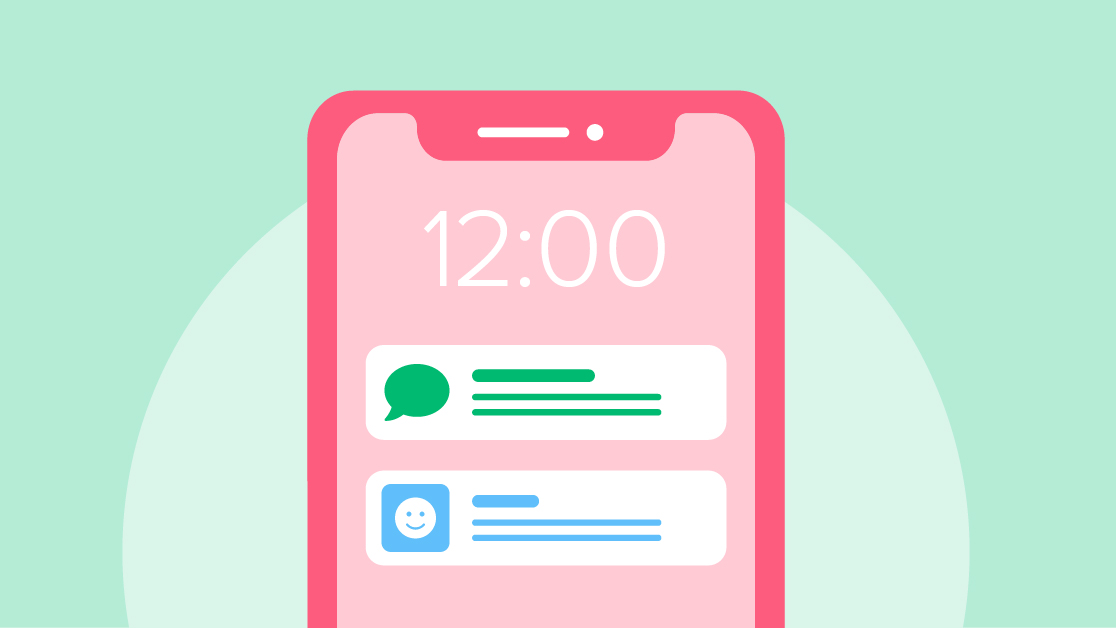
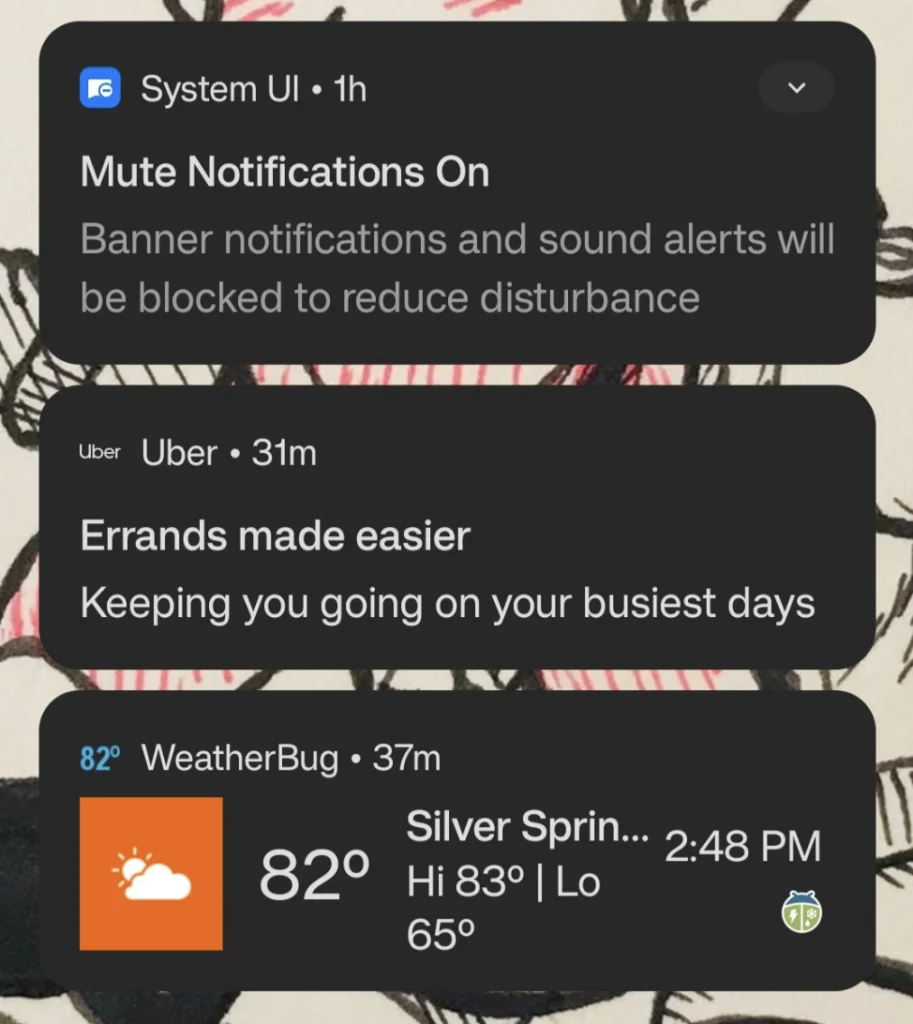
Here are a few different push notifications on a phone’s lock screen display.
Why use push notifications?
The main benefit of push notifications is that users don’t need to be in a particular app or on a site in order to see them. App or website publishers can send them at any time. Plus, many people opt into push notifications when they download an app.
Data from Moengage tells us that push notifications have a lot of potential. Transactional and super-personalized ones can reach a click-through rate as high as 30% or more if you know what you’re doing.
When to use SMS notifications for your business
SMS notifications work best for longer messages that the reader can revisit when needed. Here are just a few of the most common use cases:
Deliver emergency text alerts
SMS notifications offer two ideal qualities for emergency alerts – they’re fast and stick around in the inbox for people to reference. You can easily set up an alert system using a contact list in your texting service. Just make sure to send a test alert to ensure that everyone who needs to get your messages sees them.
Alert: The D4 bus line is out of service from today, March 7th, to Tuesday, March 9th. Please check our website for alternate routes: [link]
Spread the word about upcoming events
Get the word out about your event with a text. Thanks to their snappy nature, SMS notifications can quickly notify people about an upcoming event. They also work well for reminders and rundowns for registered participants.
For example, Soul Focus Sports uses texts to prepare participants for its athletic events, such as for the Under Armour HOVR Challenge:
Congrats Meghan! You’re confirmed for the Under Armour HOVR Challenge-NYC on 9/26. Updates including your start line location, finish location and post-race party details will be sent via text in the coming week. Visit https://txt.tl/NDOWWK for more info.
Send internal messages to employees
Don’t underestimate texting’s potential for internal communication. You can also use SMS to set up a contact list of your team members to keep everyone in the loop on important matters. And since everyone gets their own SMS thread, it works well for coordinating logistics per person, such as Intelycare’s team COVID tests:
Hello John, the state of New Jersey is requiring a baseline COVID test. If you haven’t yet, please get tested and submit your result in your Intelycare app.
For more instructions, visit https://txt.vg/nBih8T. If you plan on being tested please reply with YESTEST. Thank you! – Intelycare Team
Increase profits with sales and cart abandonment texts
While ecommerce stores typically turn to email to notify customers of their abandoned carts, you can opt for text as well. Texting your abandoned cart messages adds another channel to the mix to make sure your customers catch them. But before you text anyone about an abandoned cart, make sure you have permission to text the person with marketing SMS.
Here’s what an abandoned cart SMS notification could look like:
Oops – you forgot something! Check out your cart today to get 10% off your order: [link to cart]
Inform patients about upcoming appointments
According to our 2025 study on SMS marketing, appointment and reservation reminders are the top reason people opt into text messages from businesses. So, chances are your patients want to get reminders via text.
Appointment reminder SMS messages were a game-changer for Lighthouse Dental Centre, raising their response rate to nearly 100% with texts like:
Hi! I’m reaching out from Lighthouse Dental Centre. I just wanted to give you a friendly reminder that you are due for a dental cleaning. If you would like to schedule an appointment, you can text me back or call our office.
Notify customers of reservation confirmations
Similarly, customers want to get reservation confirmations over text from restaurants, recreational zones, and any other business that offers space to reserve. Texting services like SimpleTexting integrate with restaurant management software so you can automate the reservation process. For example, you could send a text like this to confirm a reservation:
We just booked your table for 4 at Rosé Pasta Bar for June 12th at 8PM. Respond with Y to confirm and N to cancel. Call or text us before your reservation time if you need to make any changes.
Fundraising, outreach, and recruiting for nonprofit organizations
SMS notifications also come in handy for nonprofits, whether they’re trying to raise money, reach out to people in need, or find new volunteers. These notifications’ speed makes them great for addressing urgent needs or connecting with people to help. For example, U.S. Hunger uses text to communicate with people who need food:
Hi Alice! Full Cart here, donors have sponsored you to get a box of fresh produce that will be delivered next week! Click below to say thanks https://txt.so/sample
When to use push notifications to get your customers’ attention
Push notifications can be used for many things: to ask users to take an action, let them know about new updates, and send them promotions. The most compelling reason to use push notifications is to make sure users don’t forget about your brand.
Let’s look at some ways you can use push notifications through your app or website:
Persistent notifications
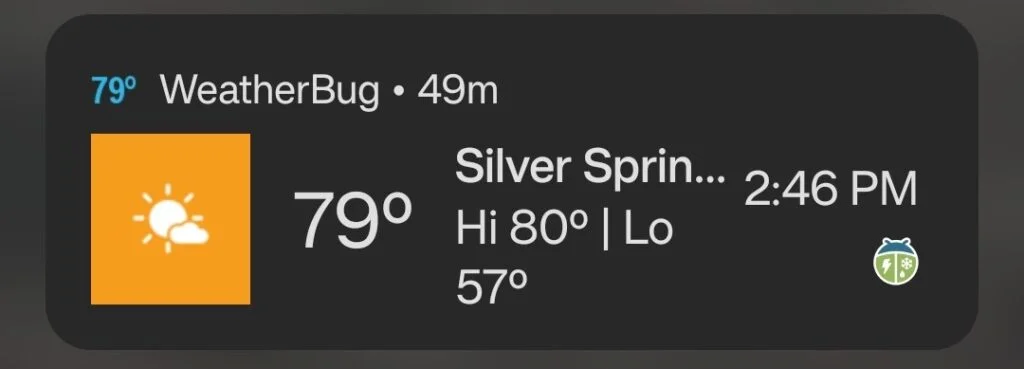
Although push notifications generally don’t stick around as much as SMS notifications can, you can offer persistent notifications in your app. These notifications stay in your customer’s notification bar for them to constantly reference. For instance, WeatherBug’s app offers the option to keep a persistent push notification so you can always know what the weather is like:
Use persistent notifications for any information that needs to stay put.
Software-related reminders
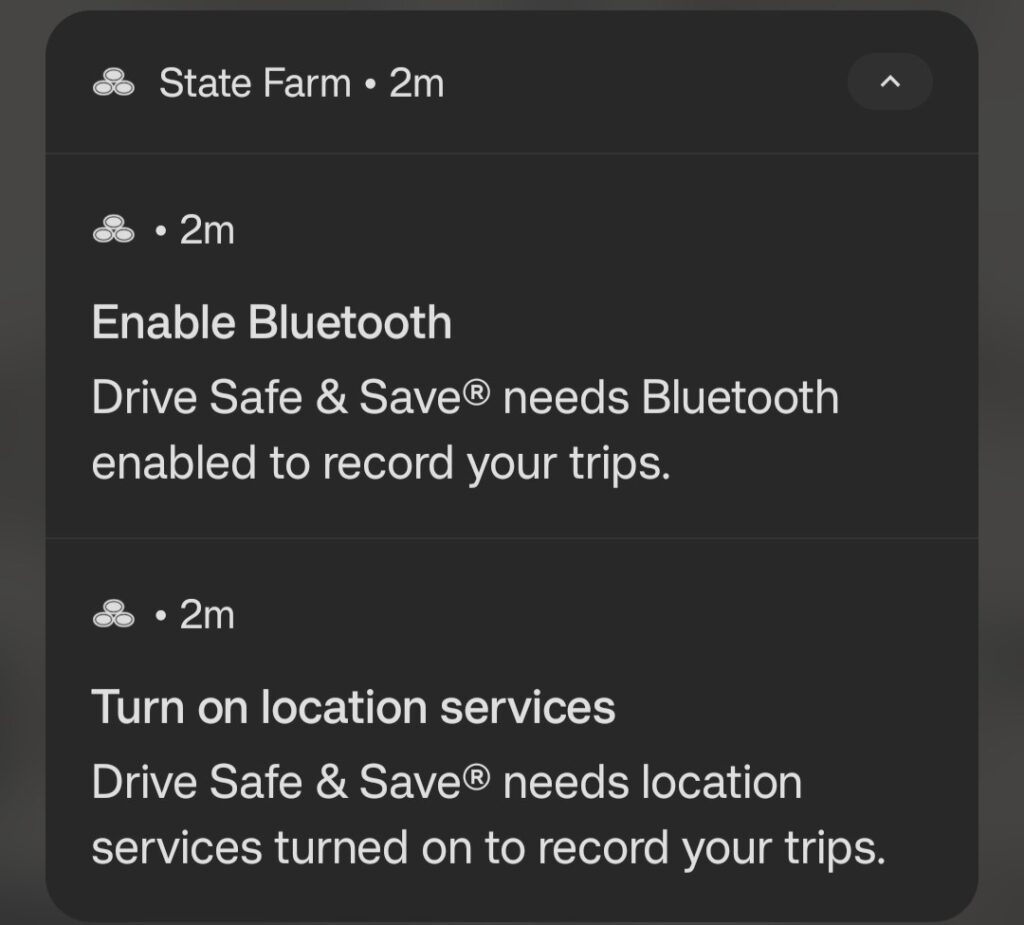
Your mobile app can also detect certain settings on its users’ devices and send notifications accordingly. For example, State Farm needs a user’s phone to have location and Bluetooth on while driving to use its Drive Safe and Save feature. So, when you turn those permissions off, it’ll provide reminders to turn it back on when you plan on driving.
Depending on the user’s phone, your push notifications can nest under their app name.
In-app reminders
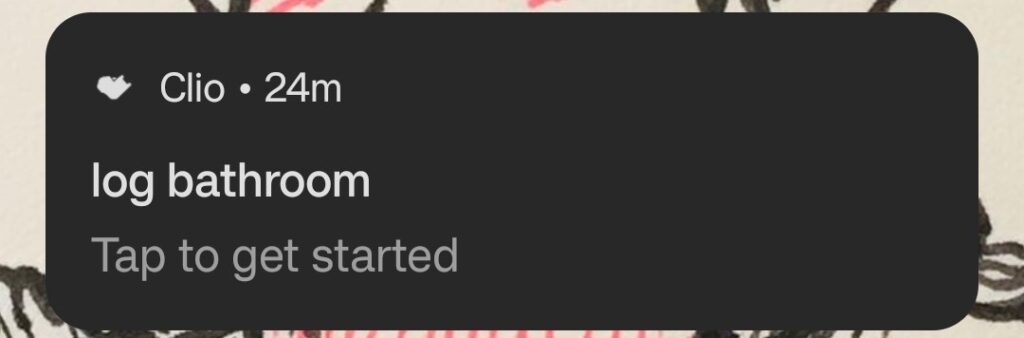
If your app or website has a reminder feature, you can set up push notifications to trigger during reminder times. You’ll see this feature most often on organization-related apps, but it can come in handy in all sorts of apps. Check out how Clio, a pet care app, lets you set your own reminders for logging food and bathroom habits.
With these push notifications, your customers decide on the text.
Promotional messages
Push notifications also work well for promotional messages that encourage the user to revisit your app. If you run a store app, perhaps, you can remind users to come back and shop.
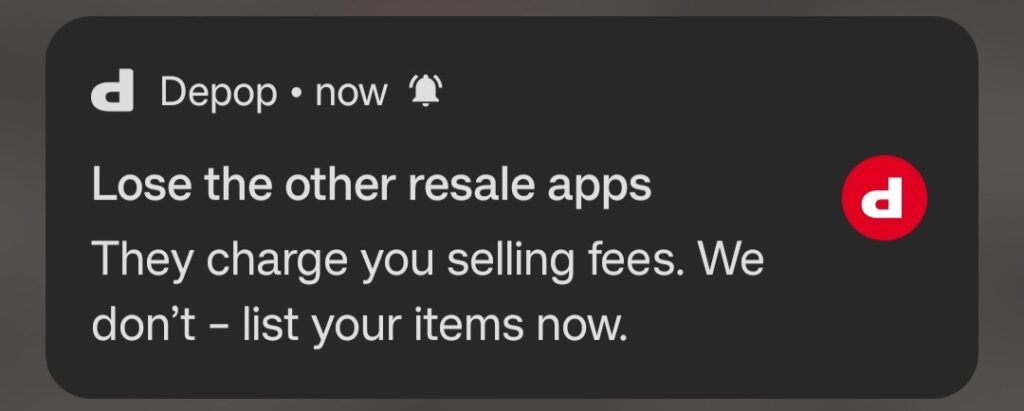
Depop, a secondhand selling service, sends regular reminders. Sometimes they relate to a promotion, but other times, they simply remind you that they’re there.
Stay on your customers’ minds with push notifications.
Real-time service updates
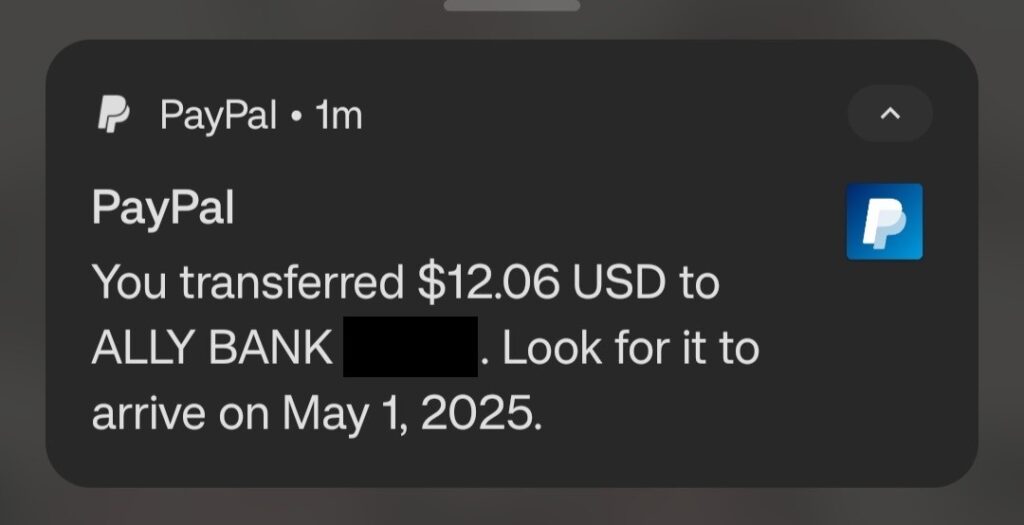
Your app can also push updates in real-time as you complete a service. If you’ve ever used a rideshare or food delivery app, you might have noticed that you get updates for every step in the process. This approach can also work for one-time service updates, such as when you make a transfer in PayPal:
Keep your notification concise to include all of the most important details.
App-exclusive offers
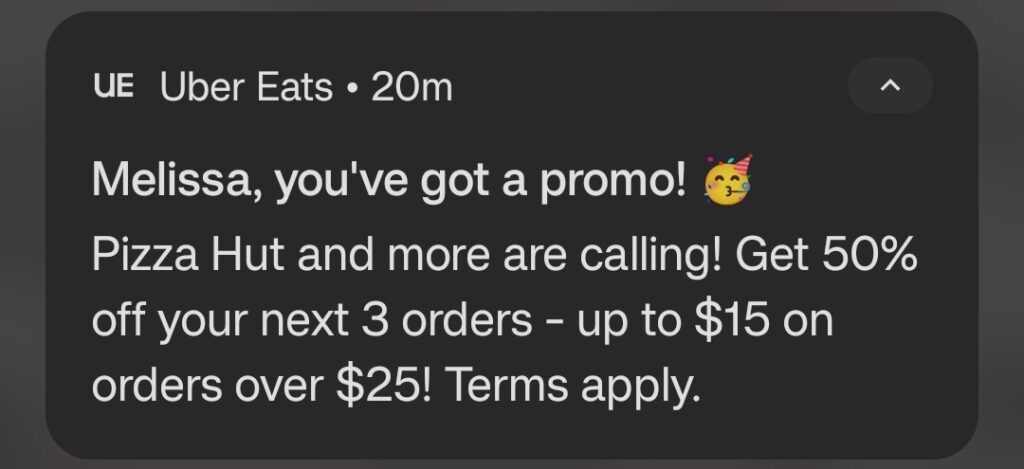
If you count on your app as its own channel for getting purchases or signups, you can also provide exclusive offers through push notifications. Sending the offer through a push notification keeps it separate from your SMS marketing, making it easier to see how you can use your app as a marketing tool. While Uber Eats shares its promos outside of its app, one of these texts could look like one of its promo texts:
5 key differences between push notifications and SMS notifications
A push notification is a notification itself that can come from any app and most websites and will appear on your phone’s lock screen. It is quite literally ‘pushing’ you to open your phone and read the notification.
SMS notifications, meanwhile, are specific to your native messaging app. An SMS notification appears on your lock screen, usually with an opening snippet of the text message you’ve received.
Push notifications and SMS notifications can be used for similar purposes. However, the platforms used to send them are vastly different.
When deciding between the two, here are three points to consider:
1. SMS notifications don’t require apps or websites
If your business offers a mobile app or hosts a website, you may want to send out push notifications. If you don’t, SMS notifications are perfect for you.
To add push notifications to a web app, you must have a basic understanding of HTML, CSS, and JavaScript. SMS notifications, on the other hand, can be sent without any coding experience. You can send your first message in just minutes.
2. Push notifications require just one tap
When sending a text, the idea is to have customers read and respond to the message.
Push notifications take some of the effort off your customers’ plates by encouraging them to just tap the notification to head to your app or landing page.
3. Customers can reply to SMS notifications
Push notifications are convenient for one-way communication. If you need to provide customer service or want your users to be able to reply with questions or requests, you should probably use SMS notifications.
Our platform allows for two-way conversations. And, all incoming SMS messages are free!
4. Push notifications are cost-effective for teams with developers
While you’ll need an SMS marketing service to set up SMS notifications, push notifications simply require some coding to get started. If you already have developers on your team working on your app or website, you could ask them to integrate push notifications into that project. Of course, if you don’t have a dev team to turn to, an SMS service might end up being the cheaper option.
The extra coding represents a little more work on your part, but for brands on a budget, this could be a plus.
5. SMS notifications can be triggered by other software
Effective notifications need to be sent to the right people at the right time. With our Zapier integration, you can trigger messages to be sent when events occur in other pieces of software that you use. For example, you can send SMS notifications via SimpleTexting to new Constant Contact contacts. Or send SMS notifications via SimpleTexting to new Shopify customers.
Frequently asked questions about push notifications vs. SMS notifications
Do you have another question about push and SMS notifications? Find the answer here.
Why am I getting an SMS notification for voicemail?
If you get an SMS notification when you get a voicemail, you may be using a voice over IP (VOIP) service that sends you an SMS notification or transcript. Alternatively, you might actually be getting a visual voicemail push notification that looks like an SMS notification because it contains the contents of your voicemail. Check the permissions for your voicemail, VOIP, and phone carrier apps to see where the message comes from.
What is an MMS notification?
MMS notifications are the same as SMS notifications, except they notify you of “Multimedia Messaging Service” (MMS) texts. These messages have longer character limits than SMS messages and the ability to include media like images and videos. In an MMS notification, you might see more text than an SMS notification and a media preview, depending on if the sender wrote a long or media-rich text.
What kind of consent do I need to send SMS and push notifications?
Both SMS and push notifications require you to get the recipient’s consent before sending. The type of consent you need to send an SMS message depends on the nature of the message, but express written consent is the surest route. Meanwhile, push notifications require explicit consent, such as the user checking a box or pressing “Yes” on a prompt.
What are web vs. mobile push notifications?
These types of push notifications differ based on platform. Web push notifications come from web browsers and can appear on mobile devices and computers. Mobile push notifications come from mobile apps, so they usually appear on mobile devices only.
Are push notifications or SMS more secure?
The security of push notifications vs. SMS depends on the purpose you want to use them for. For example, push notifications work well for two-factor authentication because they have fewer points of breach, but their security for HIPAA compliance depends on the information included in the notification. If you plan on using push notifications or SMS messages to handle sensitive information, look into the regulations related to that information before sending.
Which is faster: Push notifications or SMS notifications?
Push and SMS notifications’ speed varies based on the connections available on the recipient’s phone. Push notifications tend to be more reliant on internet connections, while SMS notifications count on a steady data network connection. If speed is a factor in your decision, consider offering both options for customers who have issues with one connection over the other.
Try our SMS notification service for free
It’s easy to add SMS notifications to your brand. Our platform was designed from the ground up to be as simple to use as possible.
Sign up for a free 14-day trial to see how texts can benefit your business. With our SMS API, you can plug your website or app directly into our platform.
Alfredo Salkeld wrote this piece on 12/27/18. Lily Norton contributed.
Alfredo Salkeld
Alfredo is SimpleTexting's brand manager. He's passionate about using his 10+ years of marketing experience to help small businesses grow.
Rich Communication Services (RCS) is a relatively new and still-developing mobile communications technology that’s poised to replace traditional SMS and MMS messaging.
Start a text marketing campaign or have a 1-on-1 conversation today. It's risk free. Sign up for a free 14-day trial today to see SimpleTexting in action.
Hey! Looks like you're browsing from outside of North America.
Just so you know, SimpleTexting helps businesses in US & Canada only. If you are looking to send internationally or are based elsewhere in the world, you will love our sister product Sinch Engage.